
Star Bot Math Adventures: every classroom skill from kindergarten to grade 5, and the problems never run out
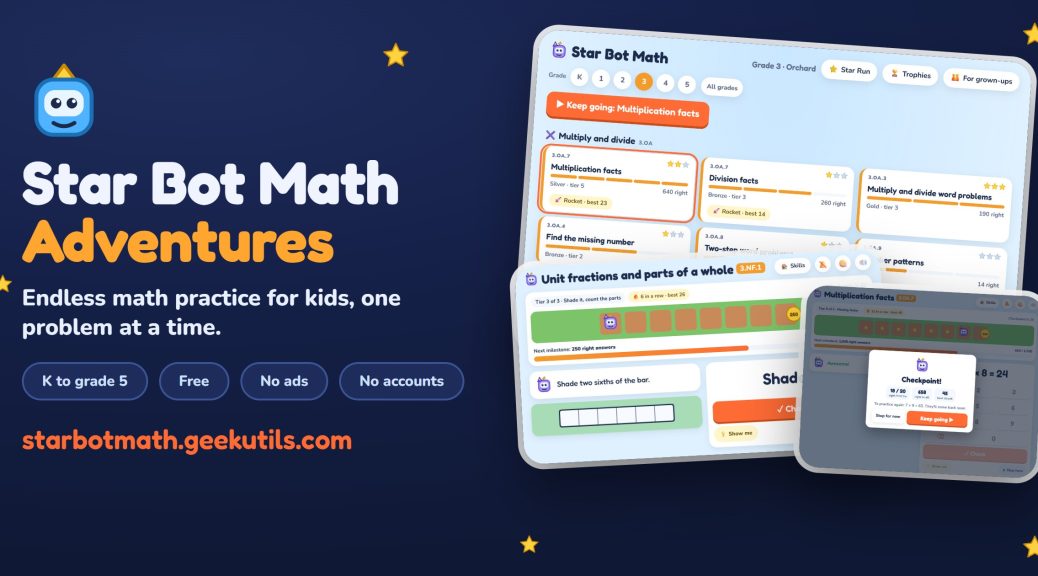
I recently wrote about Star Bot Adventures, the coding game I built for my son. Like that one, its sibling started as a practice tool for him. Star Bot Math Adventures is math practice for kindergarten to grade 5, with the same robot, the same look and the same rules: free, no ads, nothing to install or sign up for. It’s live at starbotmath.geekutils.com.
Why a math game?
Math practice has the opposite problem from coding. Nobody needs convincing that kids should practice their math facts; the trouble is that the practice itself is dull. A worksheet has 20 problems and then it’s done, the same worksheet is the same the second time, and it can’t tell whether your kid is bored because it’s too easy or stuck because it’s too hard.
So the rules for this one were:
- Practice what the class is learning, skill by skill, not a generic “grade 3 math” mush.
- Never run out of problems, and never show the same one twice in a row.
- Get harder when it’s going well and easier when it isn’t, without anyone having to pick a level.
- Bring back the problems the child missed, a few days later, until they stick.
- Read the questions out loud for kids who can’t read them yet.
How it plays
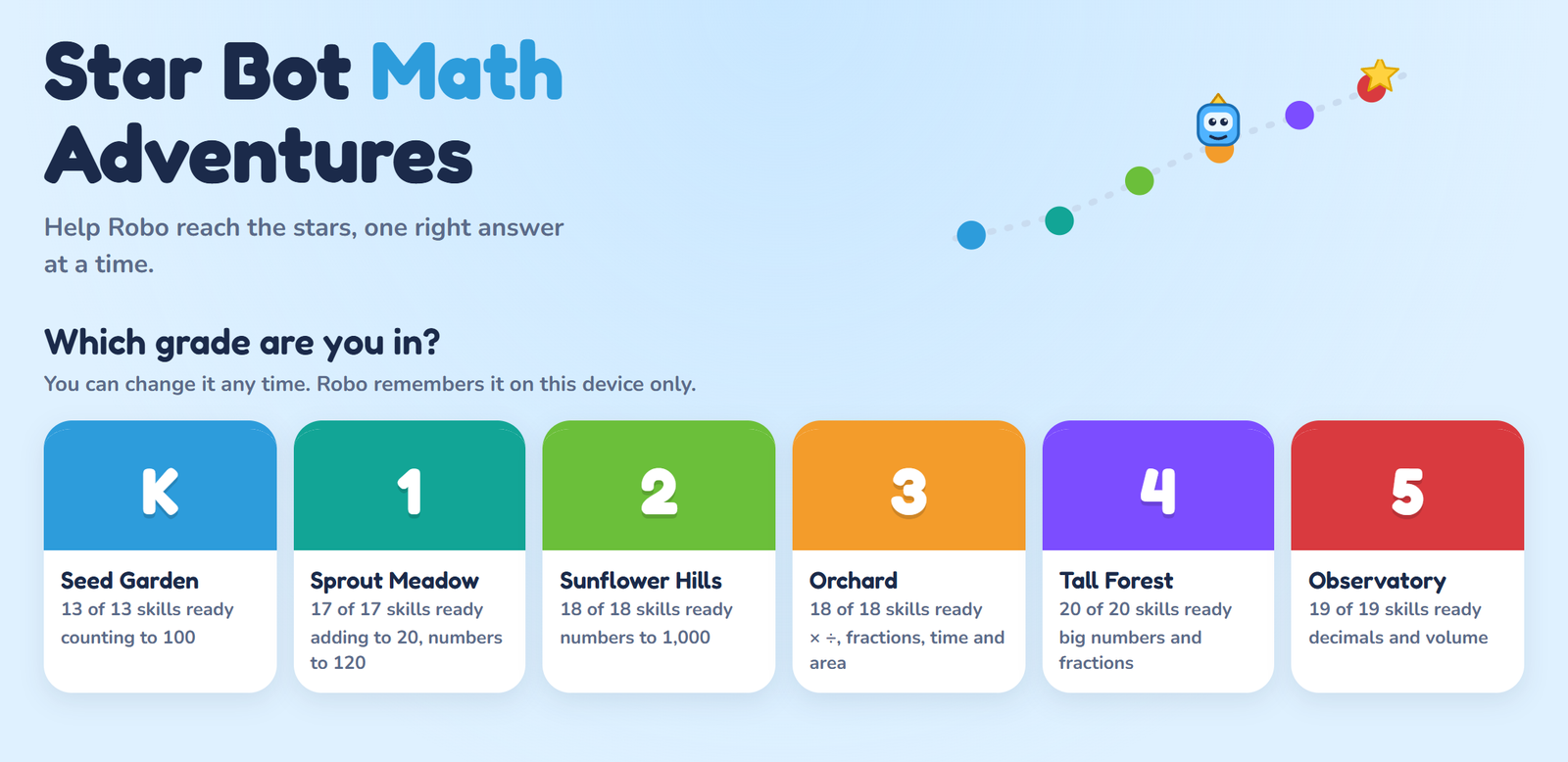
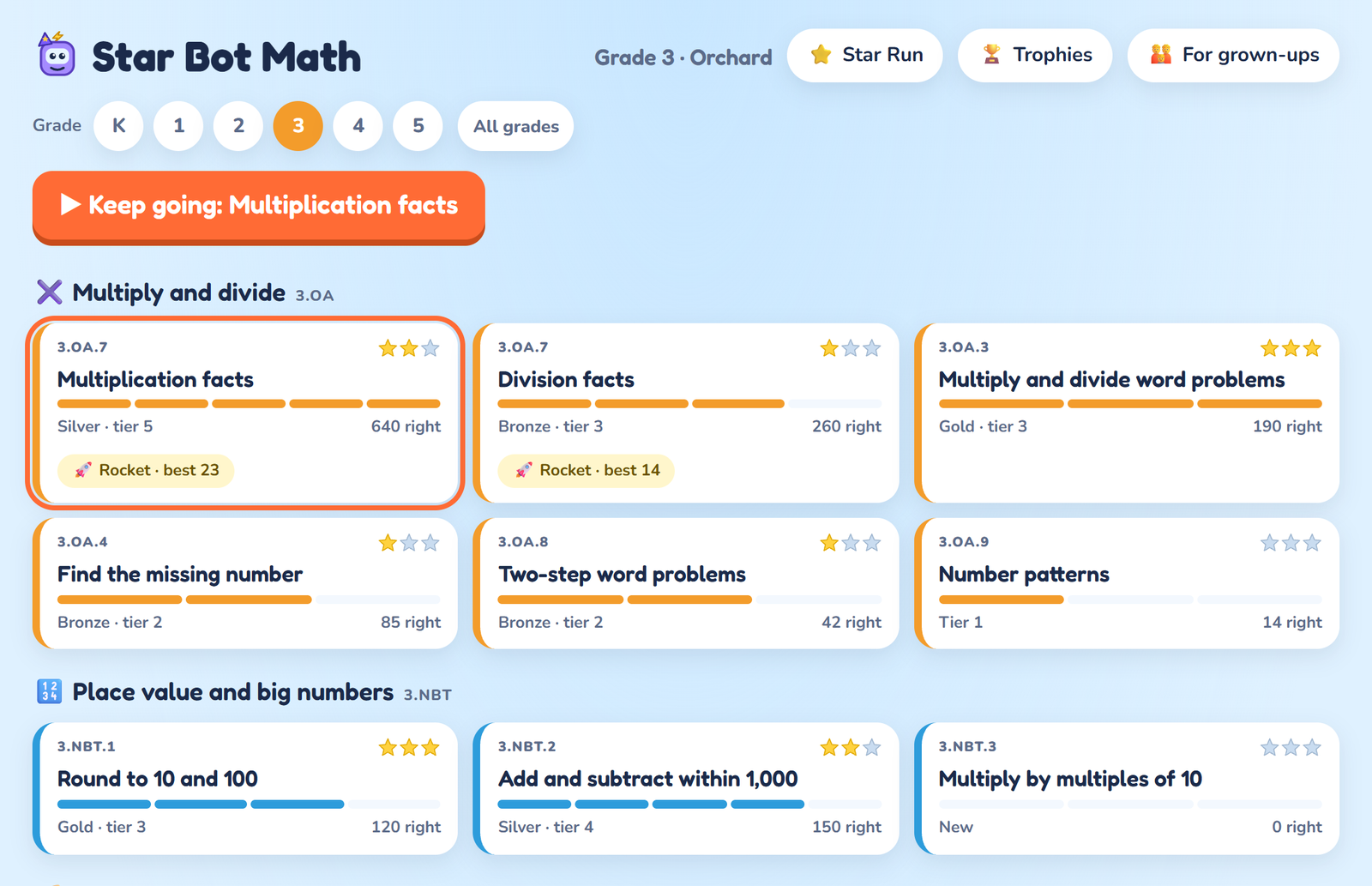
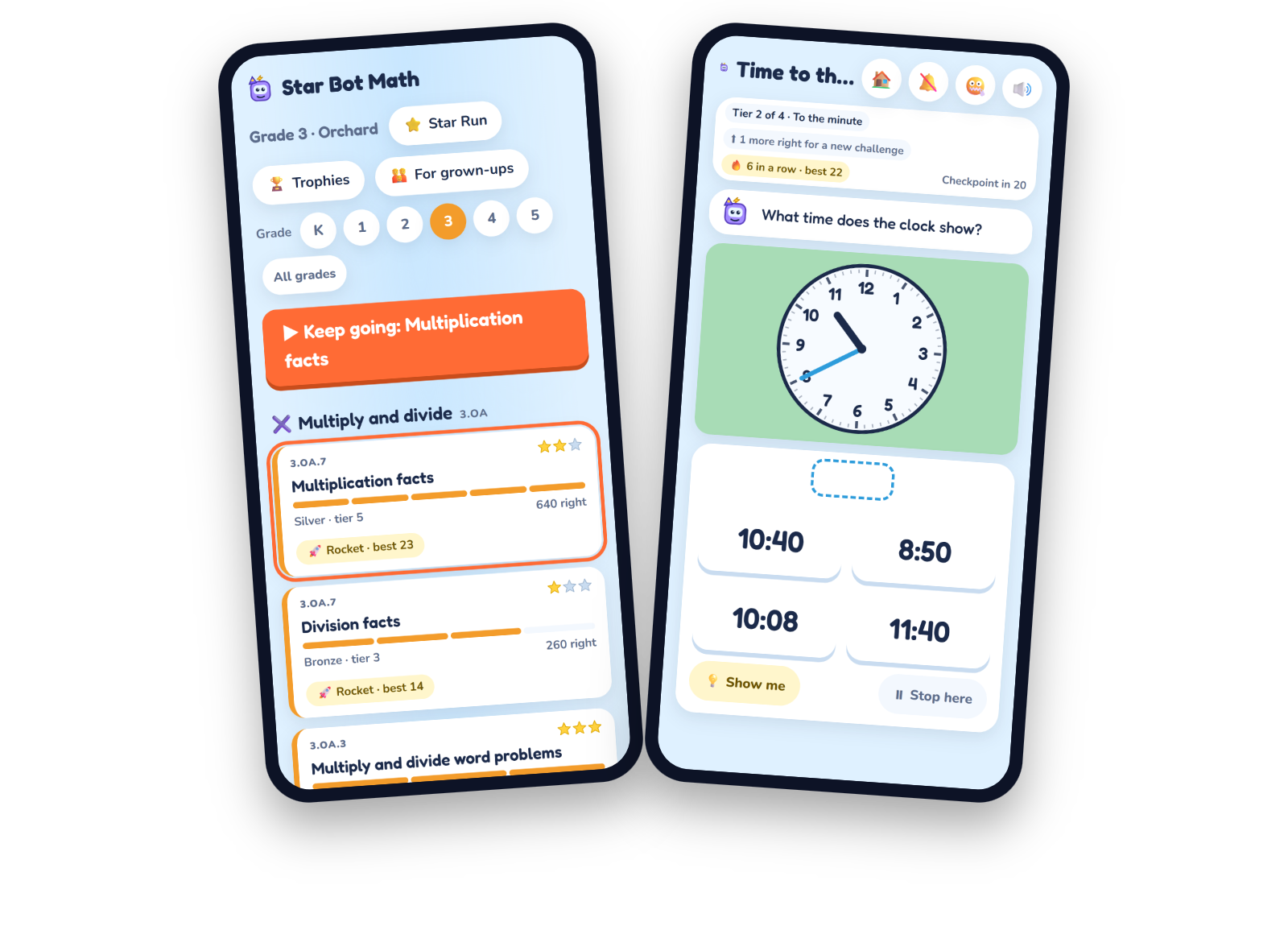
Pick a grade, then a skill. Every grade is its own world (Seed Garden, Sprout Meadow, Sunflower Hills, Orchard, Tall Forest and the Observatory), and every world’s board lists the skills a class works on that year, grouped the way teachers group them: counting, adding and taking away, place value, fractions, measuring, shapes. There are 105 skills in all, from counting to 100 to dividing with fractions.
Then Robo starts walking, and the problems start coming. They’re drawn the way they are in class: counters and ten-frames for the little ones, number lines, fraction bars, clocks, coins, bar graphs and protractors later on. Answer on the number pad or by tapping the picture.
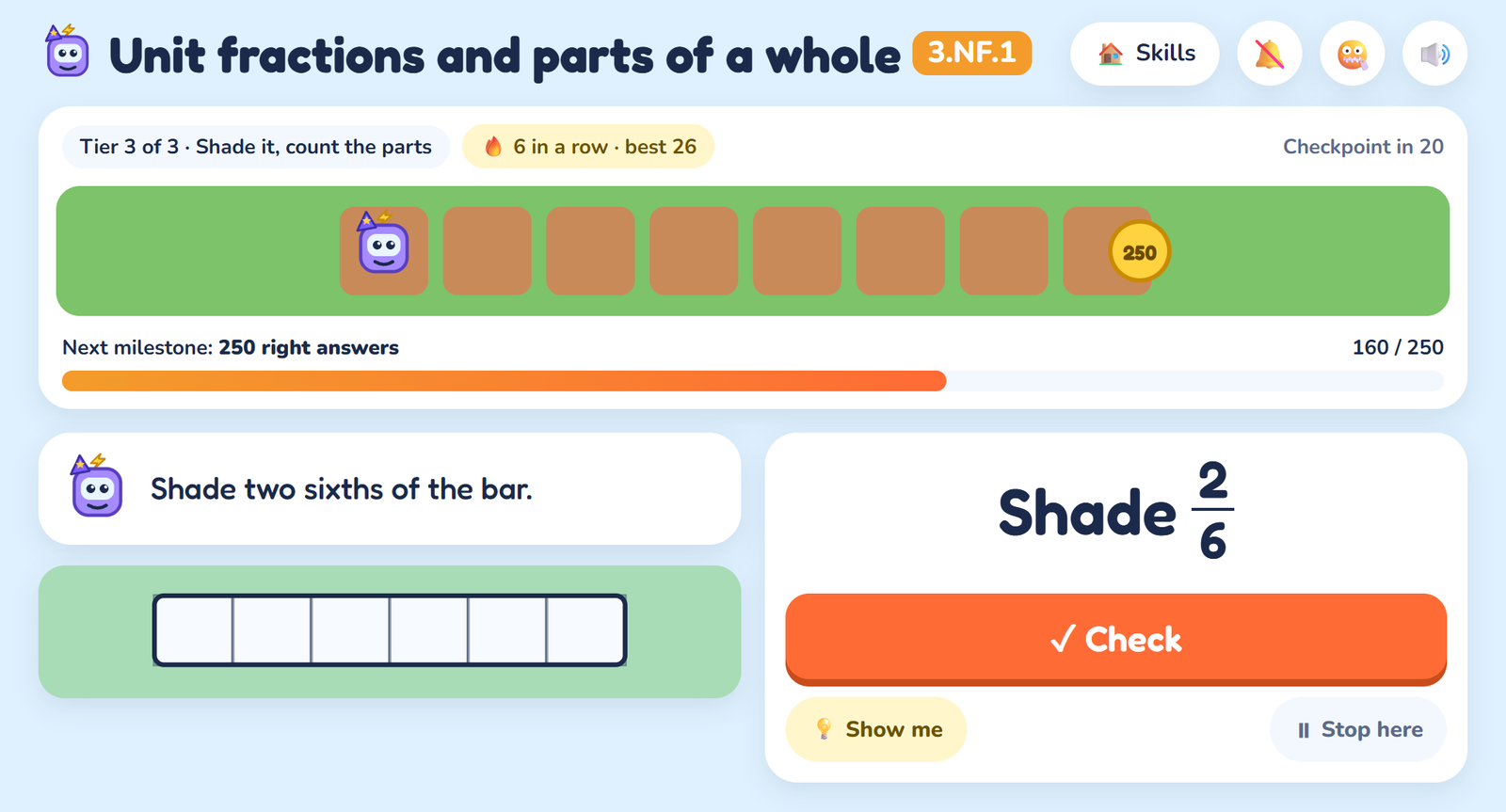
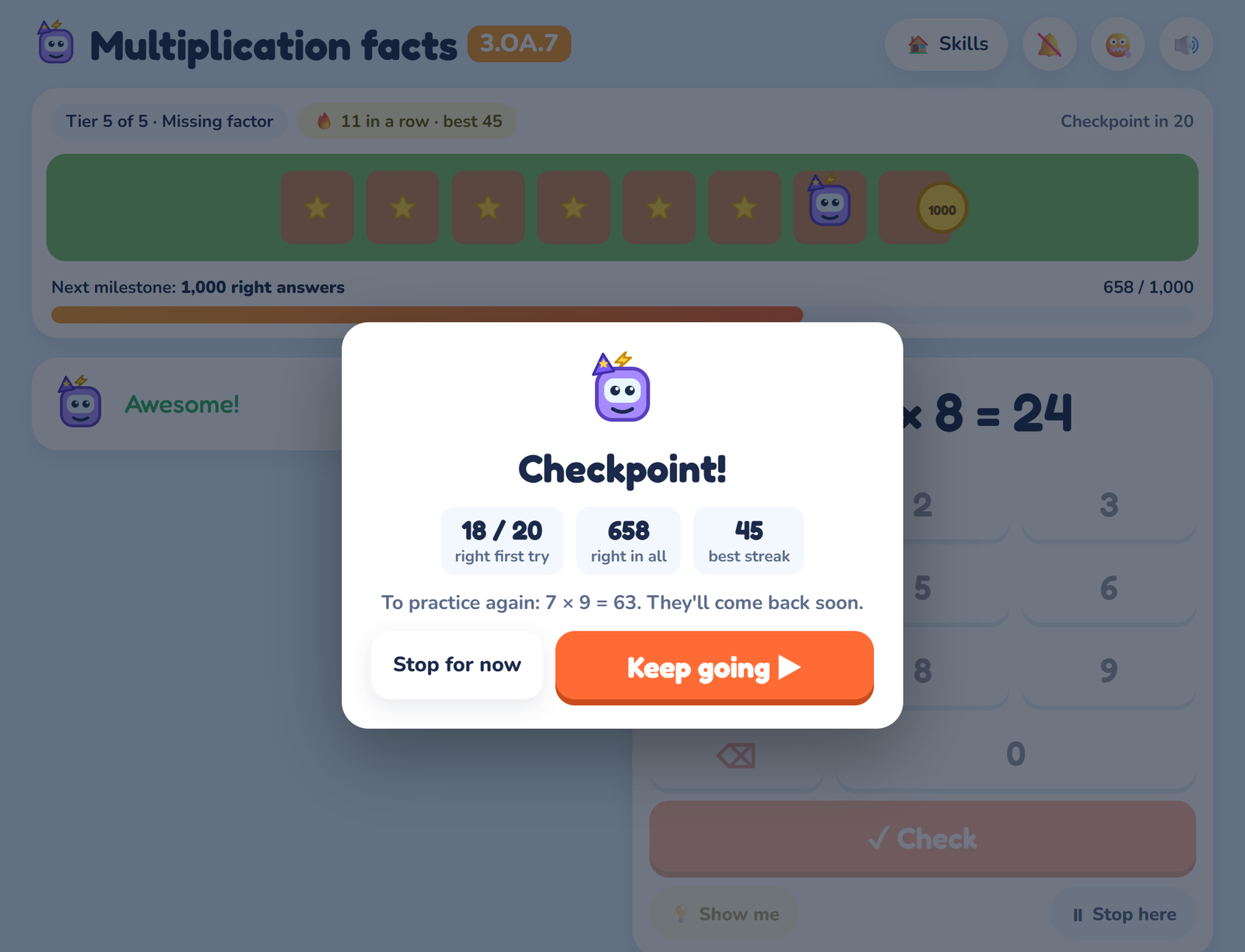
Get it right and the next one comes on its own. Miss it and you get a second try. Miss it twice and Robo shows the answer and says the problem will come back soon, and it does: a missed problem turns up again a few problems later, and then again after a day, three days, a week and three weeks, as long as it keeps coming out right. Miss it again and it starts over.
Behind the scenes, every skill has a few tiers of difficulty. Eight first-try right answers out of the last ten move you up a tier, and three misses out of the last five move you back down, so the run settles where your kid is actually working. Every 20 answers there’s a checkpoint: how many were right, the best streak, and which facts to watch.
Reasons to come back
I didn’t want a daily streak that makes a kid feel bad for missing a day, so there isn’t one. Instead:
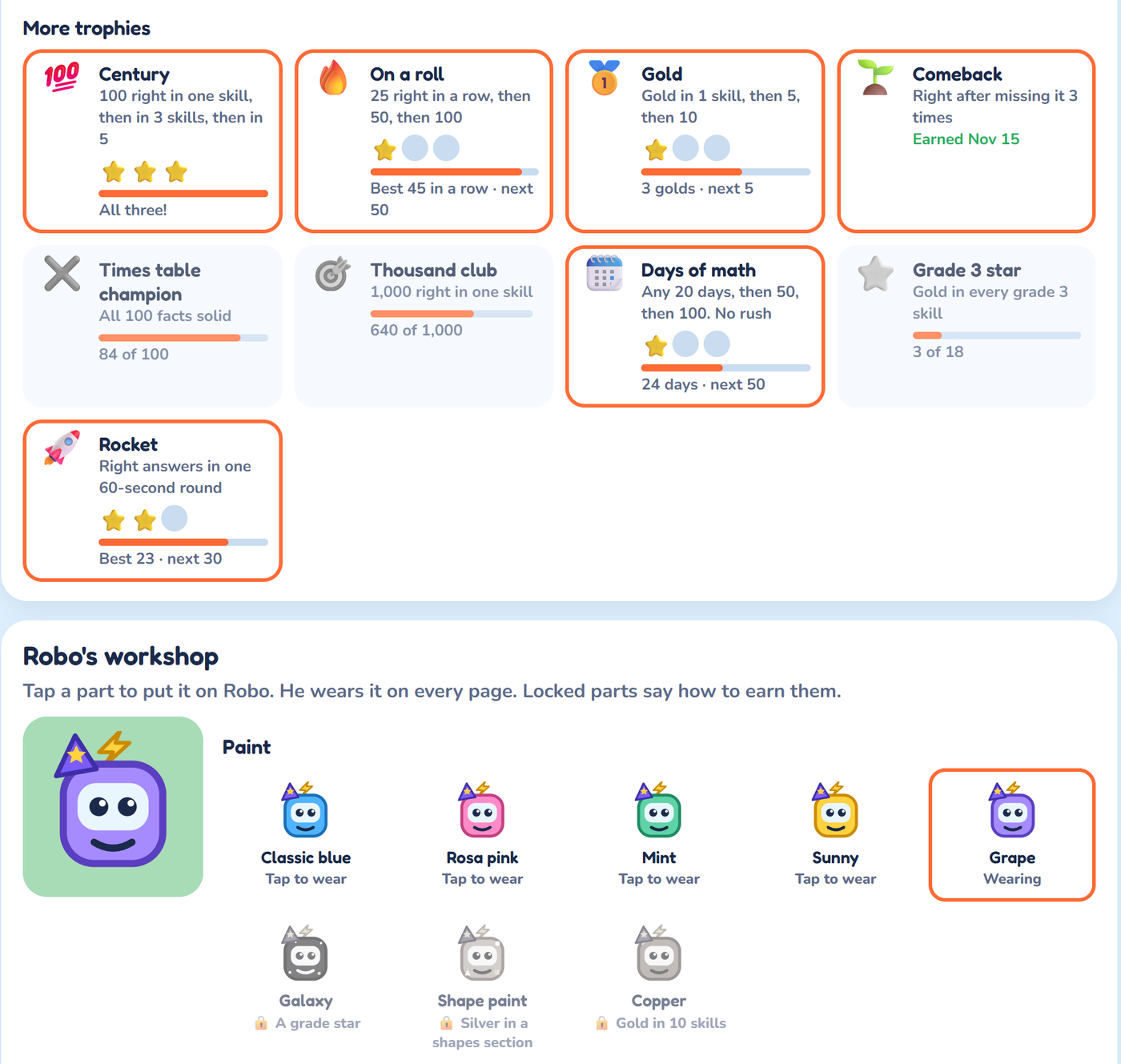
- Medals for each skill: bronze for reaching tier 2, silver further up, and gold at the top tier with 90% of the last 40 right the first time (and fast, on the fact skills).
- Trophies like Century (100 right in a skill), On a roll (25 in a row), Times Table Champion, and a star for each grade.
- Robo’s workshop: trophies unlock paint, antennas, hats and paths for Robo, and he wears them on every page.
- Rocket mode: an optional 60-second round on the fact skills. How many can you get?
- Star Run: a mix of every skill you’ve started, leaning toward the ones that need it most.
Robo reads to the little ones
Most kindergartners can’t read “How many apples are left?” yet, so in kindergarten to grade 2 Robo reads every question out loud, and with reading aloud on he cheers too. In grades 3 to 5 it starts off, and a 🔊 button reads any line on demand.
The voice is a real recorded voice, not the robotic one built into the browser. Every sentence the game can say is recorded once, ahead of time, on my server with Azure Speech, and saved as a sound file. While a kid plays, nothing is sent anywhere; the game just plays the saved file.
For the grown-ups
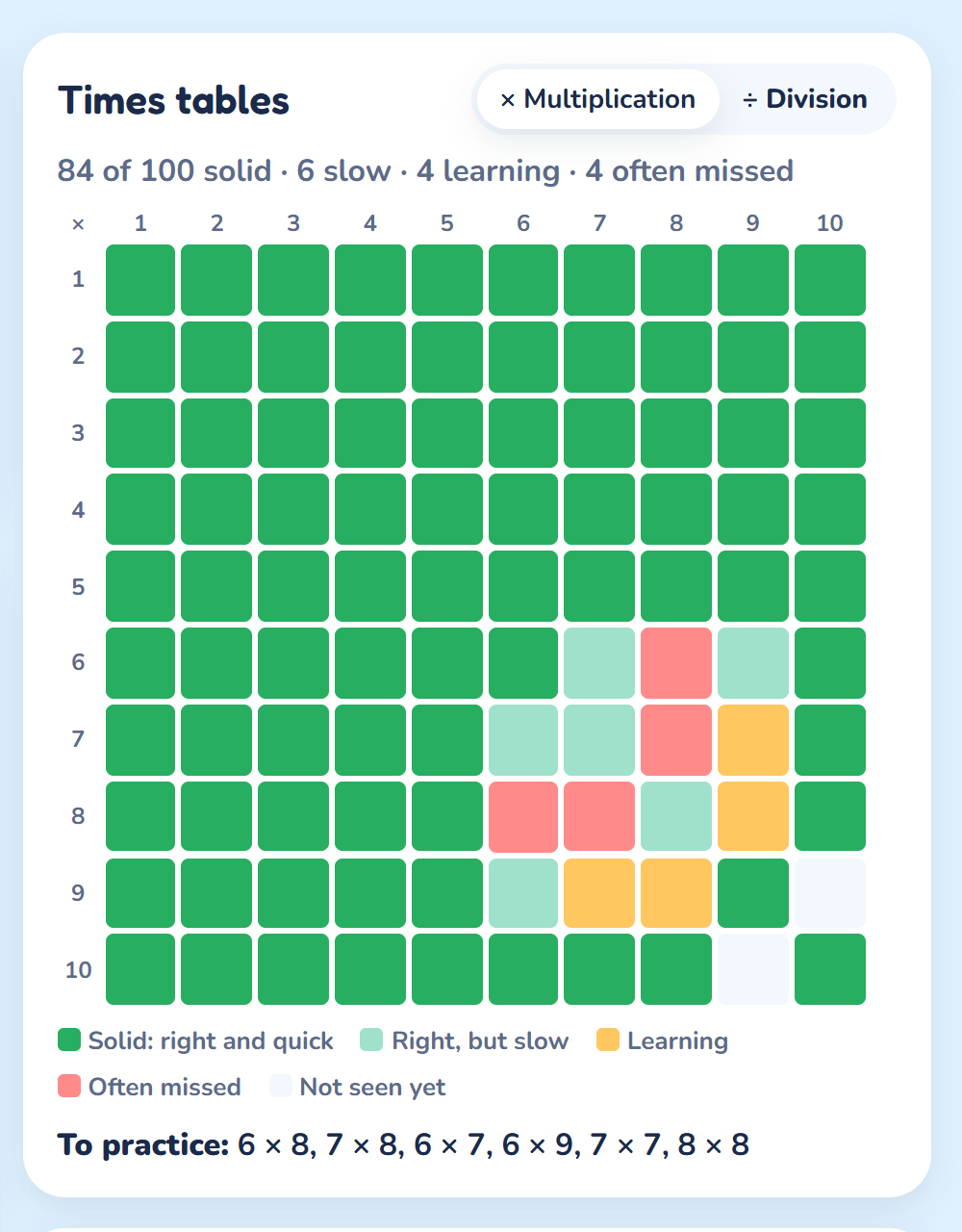
There’s a page just for parents. It shows how each skill is going, and for the fact skills a grid of every fact, colored by how solid it is: known and quick, right but slow, still learning, or often missed. Below it is a short list of facts to practice.
Progress lives in the browser on the device, but that page can also make a progress code. Paste it into another device and your kid picks up where they left off, with nothing uploaded anywhere.
What’s under the hood
The stack is the same deliberately boring one as Star Bot: plain HTML, CSS and JavaScript with no framework and no build step, and a small ASP.NET Core API on .NET 10 running on my own IIS server. The pages never contain the problems; they ask the API for a batch at a time.
The number problems are built from rules. Each skill describes what its problems look like at each tier, and the server builds fresh ones on request, so they never run out. Every kind of problem has tests that work out the answer a second, independent way and check it against the game’s answer.
The word problems are where AI earned its keep. A good word problem needs a little story, and a game that never runs out needs a lot of them. I used AI to help write the bank: thousands of short stories about apples, bus rides, ribbon, pizza and gardens, across 13 skills. It came to 3,704 word problems. Then came the part that can’t be skipped: I read every one of them on a review page and marked it OK or “fix”. The live site only serves the ones marked OK, so a kid never sees a story nobody has read.
Every sentence is recorded ahead of time, and that taught me something about billing. Azure Speech’s free tier allows 500,000 characters a month, so the recorder counts characters and stops before the limit. After the first big recording session, my count said about 288,000 characters. Azure’s said about 494,000. Azure counts the voice settings wrapped around each sentence too, not just the words being spoken. The recorder now counts the way Azure does.
The tests caught a test. The browser tests play every skill: right answers, misses, the second try, the review pile. One of them failed now and then on a fractions skill, and the bug wasn’t in the game. When the test wanted a wrong answer, it made one up, and every so often it made up 9/9 when the right answer was 1. Which, of course, is right. I’m not going to say you need to write tests for tests, but… it was a fun one 😉
Built for kids, so it’s private by design
Same rules as Star Bot:
- No accounts, no sign-up, no ads, no cookies, and no third-party analytics.
- Progress stays on the device, saved in the browser.
- The only thing that leaves the device is a set of anonymous counts, like which skills were practiced and which medals were earned. No IDs and no names; the counts can’t be traced to anyone.
The honest gaps
- It follows the U.S. Common Core, the standards most U.S. schools use. Other countries order their topics a little differently.
- It’s English only.
- It’s practice, not lessons. The “Show me” button explains the answer, but it doesn’t teach a new topic from scratch. That’s still the teacher’s (and the parent’s) job.
- There’s no teacher dashboard or classroom mode. It’s built for a kid and a parent.
- Progress stays on one device unless you move it with the progress code.
Bottom line
Star Bot Math Adventures is the math practice I wanted for my son: every skill from his class, problems that never run out and adjust to him, and a robot that cheers when he gets them right. If you have a kid from kindergarten to grade 5, give it a try at starbotmath.geekutils.com. And if your kid is 8 or older and done with their math, Star Bot Adventures is waiting. If you find a bug or a word problem that reads oddly, the contact page sends it straight to me.